Set up a shared family calendar before spring sports
A shared family calendar that grandparents will actually use starts with view-only access, holds only the events they are part of, and has a paper backup.

In this guide
A shared family calendar that grandparents will actually use starts with view-only access, holds only the events they are part of, and has a paper backup.
Share it from the calendar your household already runs on instead of asking everyone to move to a new app. Then print or write out the coming week for any grandparent who would rather keep the schedule on the fridge. Most of the work is deciding which events belong on the calendar and keeping it current once practices and games start filling the weeks.
Decide what the grandparent needs to see, then share view-only
View-only is a sensible starting point for many families, because a grandparent can see every event time and location without moving or deleting an event by mistake. Editing can be switched on later for a grandparent who wants to add their own babysitting days or visits.
Google Calendar splits sharing into separate permission levels. As of October 2026, its "Share your calendar" help page lists "See only free/busy (hide details)," where people can only find out when you are busy, and "See event details," where people can find all details, like event names, times, places, and descriptions. Further rows on the same page cover making changes to events and managing sharing. For a grandparent who needs to know that pickup is at 5:30 and at which entrance, "See event details" is the level that does the job.
Apple's iCloud calendar offers a similar choice. When you share an iCloud calendar privately, Apple's iCloud User Guide describes a Read-Only setting that "allows the invitee to view, but not edit, the calendar." On iPhone, Apple's guide says that after you invite a person, you can turn their ability to edit on or off, or stop sharing with them.
The bigger decision comes before any of those settings. "See event details" shows everything on the calendar you share, including a parent's work trips, a teacher conference, and the dentist. Many families do better with a second calendar, named something plain like "Kids and Grandparents," that holds only the events a grandparent is part of. The main family calendar stays as it is, and only the smaller one gets shared.
A separate calendar also makes the grandparent's view easier to read. When the only entries are the ones that involve them, a glance at Thursday shows whether they are needed on Thursday, with no work meetings in between.

Share a Google Calendar or iCloud calendar with a grandparent
On Google Calendar, you add the grandparent to the calendar's sharing settings and choose a permission level. On iCloud, you either invite them privately, which requires an Apple Account, or turn on a public link that anyone can open.
For Google Calendar, follow the steps on Google's "Share your calendar" help page from a computer. Open the settings for the "Kids and Grandparents" calendar, not your main one, add the grandparent through the calendar's sharing settings, and pick "See event details." If the grandparent does not use Google Calendar at all, the public link covered further down opens in a web browser without signing in.
For iCloud, the account rule is spelled out. Apple's iCloud User Guide says that when you share a calendar privately, "your invitees must have an Apple Account and use iCloud in order to use the calendar." A grandparent with an iPhone or iPad who is signed in to iCloud can accept the invitation, and you can set their access to Read-Only. On your own iPhone, that person's ability to edit stays off.
Apple Family Sharing is a separate feature, and adding a grandparent to it is not part of sharing one calendar. Apple says Family Sharing covers you and up to five family members. A private calendar invitation goes to the grandparent's own Apple Account instead, so the family group can stay as it is.
| Option | Who can open it | Can the grandparent edit | What to keep in mind |
|---|---|---|---|
| Google Calendar shared with one person | People you add in the calendar's sharing settings | Only if you choose an editing permission | "See event details" shows names, times, places, and descriptions |
| iCloud private share | Invitees with an Apple Account who use iCloud | Only if you allow editing; Read-Only is available | The grandparent accepts an invitation |
| Google Calendar public URL | Anyone with the link, no sign-in | No | A public Google calendar can show up in search results |
| iCloud public calendar | Anyone with the link; no iCloud account needed | No (read-only) | Anyone who has the link can view it |
| Printed week | Whoever has the page | With a pen | Needs a new copy each week |
What belongs on the calendar and what stays off it
Put on the shared calendar the events where a grandparent has a role or would want to show up: pickups and drop-offs, their babysitting days, practices and games, school performances, and family visits. Leave off home addresses, door or garage codes, phone numbers, and any medical details.
The reason is how the sharing works. Google's "See event details" level shows descriptions as well as titles, so whatever is typed into the notes field travels with the event. A public link goes further, since anyone who has it can open the calendar, and a public Google calendar can appear in search results. Writing every event as if a stranger might read it keeps the calendar useful for a grandparent without putting the household's private details in it.
Doctor and dentist visits can stay on the calendar if a grandparent is driving or watching siblings, but only as a date, a time, and a place. "Dentist, 3:30, Elm Street office" tells a grandparent everything they need. Symptoms and medications belong in a conversation, not in an event description.
Pickups are the events that most often go wrong, and a fixed format for them helps. When every pickup uses the same fields, a grandparent reading the calendar on a phone or on paper knows where to look.
| Field | What to write | Example |
|---|---|---|
| Title | Who picks up which child | Grandpa picks up the twins |
| Time | Pickup time, plus the time to leave if traffic matters | 5:30 pickup, leave by 5:10 |
| Place | The spot at the school or field, not a home address | North field parking lot |
| Car seats | Whose car and whose seats | Booster seats are in Grandpa's trunk |
| Change plan | Who to call if practice runs late | Text Mom or Dad |
Spring sports are a good point to set this up, because practices and games all land in the same few weeks. Add each season's schedule as soon as your league posts it rather than waiting for the first game.
What if the grandparent will not install anything?
Then give them a link that opens in a web browser, or a printed week. Both are complete options. Neither one asks the grandparent to download an app or create an account.
Most older adults carry a phone that can open a link. In Pew Research Center's survey of U.S. adults, conducted in 2026, 79% of adults age 65 and older said they owned a smartphone. That still leaves a meaningful share of older adults who did not, and some grandparents who own a smartphone may still prefer not to add another app to it.
Google Calendar's public URL is the browser option on the Google side. Google's help page on public calendars says to click Integrate calendar and copy the link under "Public URL to this calendar," which gives a link that does not require people to sign in or subscribe. Google also says a public calendar can be found on the internet or in search results. Use this only for the separate "Kids and Grandparents" calendar, written with the rules above, and consider keeping children's names and exact pickup spots off any public link, sharing those details privately or on the printed week instead.
On iPhone, you share an iCloud calendar publicly with a switch. Apple's iPhone guide describes it under "Share a read-only calendar with anyone": turn on Public Calendar, then tap Share Link to copy or send the URL. Apple also says an invitee does not need to be an iCloud user to view a shared public calendar. A grandparent can save the link as a bookmark or a home screen shortcut and open it like any website.
A printed week can also work for grandparents who own a smartphone and prefer paper anyway. A single page with Monday through Sunday, each pickup written in the same format as the template above, can go on the fridge or by the phone. For a grandparent who lives farther away, a photo of that page sent by text does the same job. Paper has one real advantage: it is still readable when a phone battery dies in the school parking lot.
Grandparents who prefer paper calendars may also prefer printed photos. Our guide to sharing photos with grandparents covers link albums, digital frames, and prints for the same situation.

Keep it alive with a short weekly check
A short weekly review of the coming seven days can help keep a shared calendar current. The check catches canceled practices, new games, and pickups that still say "TBD" before a grandparent drives to the wrong field.
The routine can be short. One parent opens the "Kids and Grandparents" calendar, reads next week's schedule aloud, and asks two things about each event: is it still happening, and is the driver confirmed? New events go in using the pickup format, canceled ones come out, and then the printed week gets made from the corrected version. Sunday evening may be convenient for some families, because the schedule for the coming week is usually settled enough to confirm.
If the family already holds a weekly meeting, the calendar can be its first item. Kids who are old enough to have their own practices can read out their own events, which also tells the parents what changed at school that week. Our 15-minute family meeting agenda shows one way to fit the calendar into that conversation.
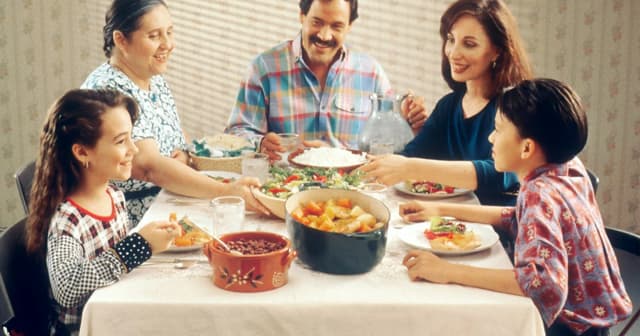
Grandparents can join the check by phone or video if they are part of several events that week. A brief Sunday call that names the week's pickups and whose trunk has the booster seats can reinforce the plan. When the first practice schedule arrives this season, create the "Kids and Grandparents" calendar that evening and put that one pickup on it.
Frequently asked questions
Does a grandparent need a Google or Apple account to see a shared calendar?
Can grandparents edit a shared family calendar?
Is a public calendar link private?
What should go on a family calendar shared with grandparents?
Sources
All sources checked on October 22, 2026.
- Google Calendar Help "Share your calendar" (Google) https://support.google.com/calendar/answer/37082?hl=en
- Google Calendar Help "Create & manage a public Google calendar" (Google) https://support.google.com/calendar/answer/37083?hl=en
- iCloud User Guide "Share a calendar on iCloud.com" (Apple) https://support.apple.com/guide/icloud/share-a-calendar-mm6b1a9479/icloud
- iPhone User Guide "Share iCloud calendars on iPhone" (Apple) https://support.apple.com/guide/iphone/share-icloud-calendars-iph7613c4fb/ios
- "How to set up Family Sharing on your iPhone or iPad" (Apple, September 14, 2026) https://support.apple.com/en-us/108380
- "Americans' Use of Mobile Devices in 2026" fact sheet (Pew Research Center, October 19, 2026) https://www.pewresearch.org/internet/fact-sheet/mobile/
