Should a family year in review video be one clip a month?
12 clips, one from each month, plus one question that every person in the house answers on camera: that is the suggested format, with a finished length under 10 minutes.

In this guide
12 clips, one from each month, plus one question that every person in the house answers on camera: that is the suggested format, with a finished length under 10 minutes.
A family year in review video built this way fits into one morning, and New Year's Day is a natural slot for it. The numbers are our own suggested format, chosen to keep the project small enough to finish. When the edit is done, export the highest-quality version you have and keep at least two copies in separate places, as the Library of Congress advises for personal videos.
Twelve clips, one per month
Choose the single clip from each month that someone in the family would ask to see again, and trim it to 20 to 30 seconds. Treat the month as a hard limit: one slot each, even if July had a beach trip and February had only a snow day in the driveway.
Before you pick, check every phone in the house. The Library of Congress lists cameras, computers, phones, memory cards, and videos posted on the web as the places to look when gathering personal video, and a family's year is usually spread across more than one of them. Have each adult send the clips they are considering to one device or one shared album the night before.
Then scroll month by month, starting with January, and mark one candidate per month without stopping to compare. When two clips compete for a slot, keep the one with a voice in it.
A clip earns its slot when it shows something that belonged to that month: the first ride without training wheels, the week the kitchen was torn apart, the dog meeting snow. Ordinary days count too.
Some months will have no video at all. Use a photo held on screen for five seconds, or film a few seconds of an object that stands for that month, such as a ticket stub, a cast, or a new house key. The slot stays filled and the count stays at 12.

One question, asked of everyone, every year
Ask each person the same single question, film every answer separately in the same spot, and keep that question for every year after. The answers change while the question stays fixed, and that fixed point is what lets you compare one year with the next.
Keep the question short and open-ended, so a 4-year-old and a grandparent can both answer it in their own words. These three are illustrative examples, so pick one or write your own:
- What was the best part of this year?
- What can you do now that you couldn't do last January?
- What do you hope happens next year?
Write the question on an index card with the year. Hold the card up for two seconds at the start of each answer, and the clip labels itself.
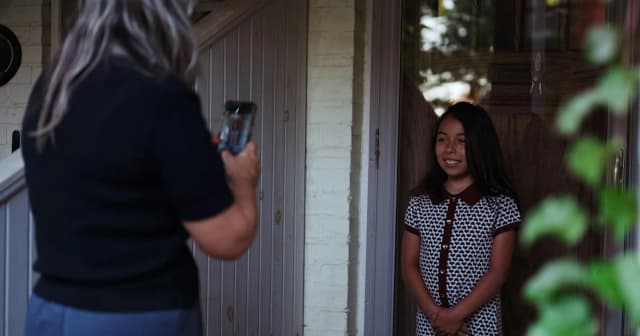
Film everyone in the same chair, against the same wall, with the phone at eye level and turned sideways. Ask the question from just off camera and then stop talking.
Younger kids sometimes refuse, freeze, or answer with a joke. Let the joke be the answer, or try again after lunch, since a forced answer looks forced on video. Keep the interview clips within the family and off public social media.
For a longer conversation with grandparents, see the Thanksgiving interview guide.

Why keep it under 10 minutes?
A short video is more likely to get finished, and a finished video is more likely to get watched again. That is our own reasoning for the format. Twelve clips at 20 to 30 seconds come to 4 to 6 minutes, and four interviews at 30 to 60 seconds add 2 to 4 more, so a family of four lands between 6 and 10 minutes.
The cap does its work during editing. A 10-minute ceiling turns every choice into a trade. If August gets 40 seconds, another month gives some back.
Larger households can stay inside the cap by trimming clips to 15 seconds or keeping interviews near 30 seconds each.
How to make it on New Year's Day without an app
Use the video editor that came with your phone or computer and follow the morning plan below. The project is done when the cut runs under 10 minutes and two copies of the export exist. Menu names differ by device and change with software updates, so check your device maker's help pages for exact steps.
New Year's Day, January 1, is a legal public holiday under federal law (5 U.S.C. § 6103, in the text current as of October 2026). Plenty of people still work that day, and any quiet day in the first week of January works the same way.
| Time block | Task | Done when |
|---|---|---|
| 9:00–9:30 a.m. | Scroll each month and mark one clip | 12 clips sit in one album |
| 9:30–10:00 a.m. | Film the question with each person | Every person has one saved answer |
| 10:00–11:00 a.m. | Put clips in order, January to December, and trim | The timeline runs under 10 minutes |
| 11:00–11:15 a.m. | Add the interviews at the end and a title with the year | The full cut plays start to finish |
| 11:15–11:45 a.m. | Export, rename the file, and make copies | Two copies sit in two places |
| Evening | Watch it together once | Everyone has seen it |
Ending on the interviews gives the video a natural stopping point, and next year's video will end the same way. A plain title card with the year and a one-word label for each month are enough text, and transitions or filters only add editing time. If you add music, keep it low enough that every voice is clear.
Export the highest-quality version and keep two copies
Save the best-quality file you can get, give it a descriptive name, and keep at least two copies in different places. The Library of Congress page on personal video archiving says to "save the highest quality versions of your videos along with good descriptive information about them" and to "make at least two copies of your selected videos." The page itself shows no publication date.
The same page advises storing copies "in different locations that are as physically far apart as practical." Two is the minimum, and the Library says more copies are better. A computer plus a portable drive kept at a relative's home fits the advice, and so does a computer plus cloud storage.
On an iPhone, Apple says iCloud Photos saves photos and videos in full resolution, and the iPhone and iPad option for exporting files in their original format is called Export Unmodified Originals (Apple Support, as of November 2026). On iCloud.com, Apple lists three separate download choices: Unmodified Originals (the format as captured or imported), Highest Resolution (typically HEIC or H.265), and Most Compatible (JPEG or MP4/H.264). For the copy you keep, Unmodified Originals or Highest Resolution matches the Library's advice.
For Google Photos, Google's help page says downloading a video from photos.google.com creates a local copy on your computer. That page does not say the download is an untouched original, so check the file's resolution once it lands. For a larger export, Google Takeout builds an archive of your Google Photos data, and Google notes that downloading it does not delete anything from its servers.
Name the file so it sorts and explains itself, for example 2026-family-year-in-review.mp4, and keep a short text note in the same folder listing who appears and which question was asked. The Library of Congress recommends descriptive file names, tags with people's names, and a brief written description of how the files are organized.
| Place | Quality kept | Who can watch |
|---|---|---|
| Computer folder | The file exactly as exported | Anyone who uses that computer |
| Portable drive at another address | A copy of that same file | Whoever holds the drive |
| iCloud Photos | Full resolution, according to Apple | You, plus anyone you share it with |
| Google Photos | The download page does not promise original quality | You, plus anyone you share it with |
Each New Year's Day, before you start the new video, open last year's file and make sure it still plays. The Library of Congress advises checking saved video files at least once a year.
If the clips you scrolled through turned out to be spread across three phones and an old laptop, the January weekend plan for organizing family videos applies the same Library of Congress copy rules to the whole collection.

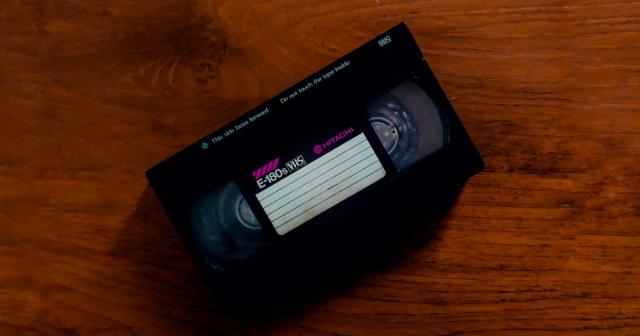
Footage still on VHS tapes needs converting first, and the guide to converting VHS to digital covers that step.
What year five looks like
By the fifth New Year's Day, there are five videos built the same way and five answers from each person to the same question. We expect that collection to be worth rewatching, though that is our own view, and how much it means will depend on the family.
The interviews change the most. Cut each person's five answers together in order, and the same chair and wall make the differences easy to see. In an illustrative case, a child who answered "my birthday" at 4 might give three full sentences about a friend at 8 — the kind of shift a single year's video can't show.
Year five also lines up with a maintenance step. The Library of Congress suggests creating new media copies every five years or when necessary, so the fifth New Year's Day is a sensible time to copy all five files to a new drive.
Repeating one fixed frame every year is the same idea behind first-day-of-school photos taken in the same spot.
The question is the one choice that has to work for years, so it is worth settling before December 31. Write it on an index card tonight and leave the card by the chair you plan to use.
Frequently asked questions
How do you make a family year in review video?
How long should a family recap video be?
What question should you ask in a year in review video?
Is it OK to post a family year in review video online?
Sources
All sources checked on November 4, 2026.
- Video - Personal Archiving (Library of Congress, no date shown) https://digitalpreservation.gov/personalarchiving/video.html
- Download iCloud photos and videos (Apple Support, April 10, 2026) https://support.apple.com/en-us/111762
- Download photos or videos to your device (Google Photos Help, no date shown) https://support.google.com/photos/answer/7652919?co=GENIE.Platform%3DDesktop&hl=en
- How to download your Google data (Google Photos Help, no date shown) https://support.google.com/photos/answer/3024190
- 5 U.S.C. § 6103, Holidays (United States Code, uscode.house.gov, text current through October 15, 2026) https://uscode.house.gov/us/usc/119-124/t5/s6103/


